
01Ctrl + 1
Read
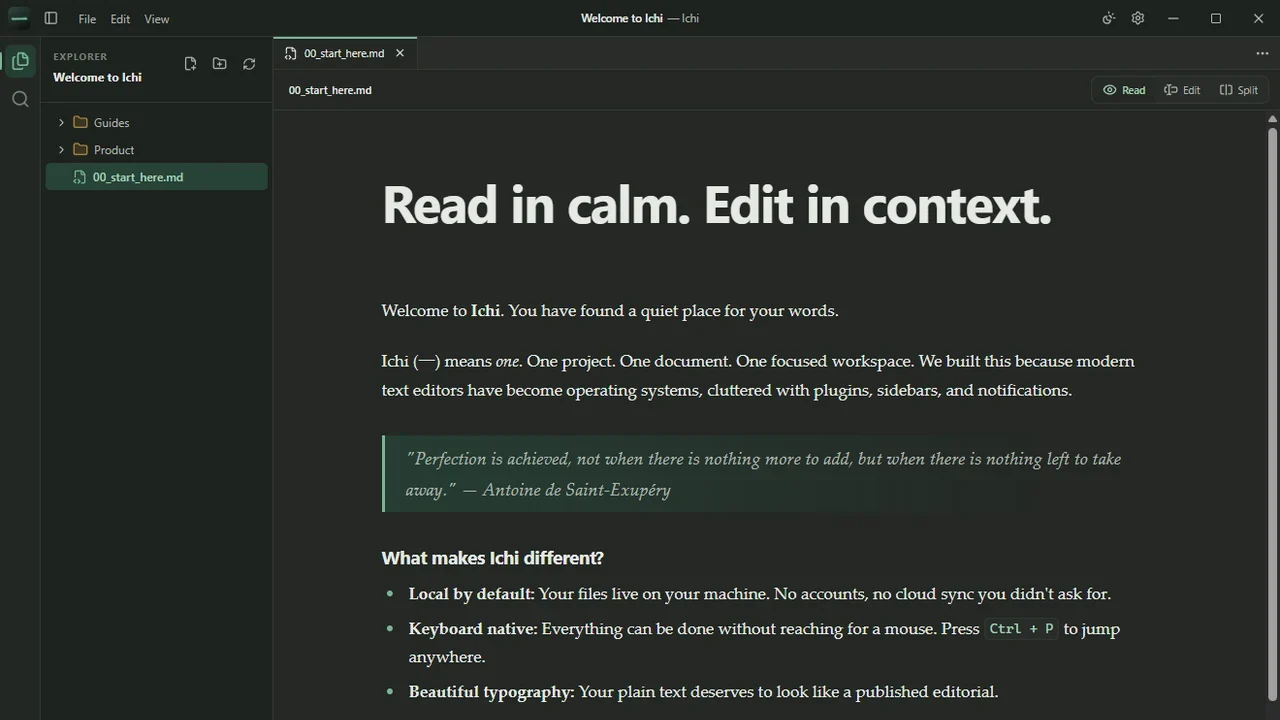
Let the rendered document take the whole canvas, typeset for comfortable reading.
Ichi for Windows
Read, edit, search and recover your Markdown without leaving your files behind.
One document, three views
Every document opens in one of three views. Move between them with a single keystroke, without losing your place, your scroll position, or your project.
Let the rendered document take the whole canvas, typeset for comfortable reading.
Work directly in the Markdown source with a focused formatting bar close at hand.
Keep the source and its rendered result side by side, scrolling together.
Press Ctrl + 1, Ctrl + 2 and Ctrl + 3 to switch views. Headings, emphasis, links, lists, quotes, code and images stay close through familiar controls.
Product walkthrough
Read, edit, search and recover your Markdown without leaving your files behind.
Keep your hands on the keyboard
The things you do most often are a shortcut away, so moving around a project never means reaching for the mouse or breaking your train of thought.
One prompt to jump to any file in the project or run a command by name.
Look across every document in the open project from the sidebar.
Search and replace within the file you are working on.
Portable by design
Ichi renders the details real projects depend on, while your files stay plain text that any other tool can open. Your filesystem remains the source of truth.
Room to change your mind
Time Machine keeps a quiet local history of a document as you work, so an accidental deletion or a rewrite you regret is easy to undo long after the usual undo has moved on. Look back, compare, and restore an earlier version.
You decide how much it keeps and can clear it whenever you like, from Settings or per project.
Time Machine is not a backup.
It lives on your device to help with everyday editing mistakes. Keep your own independent copies of anything important.
Built for Windows
Ichi is a native Windows x64 desktop application. It works with your keyboard, your filesystem and your Explorer habits, and opens .md and .markdown files directly.
Updates are always your choice: Ichi v0.1.0 never checks for, downloads or installs updates on its own.
Before you download
Still unsure about something? The support page and contact form are there to help.
In the folders you choose. Ichi edits your files in place and never imports them into a cloud library. See the privacy page for what stays on your device.
No. The Ichi desktop app has no account, analytics, advertising or automatic telemetry. The website uses cookie-free aggregate analytics, described on the Privacy page.
Yes. Reading and editing local documents works entirely offline. The network is only used when you open an external link or allow remote images for a workspace.
GitHub Flavoured Markdown, including front matter, tables, task lists, fenced code with syntax highlighting, local images and sanitised structural HTML.
v0.1.0 never checks for or installs updates on its own. Future updates are delivered through Microsoft Store.
Ichi v0.1.0 is a Windows x64 beta. The Microsoft Store package targets Windows 11 build 22000 or newer; Windows 10 support is planned but not yet available.
Ichi v0.1.0 is a focused Windows beta. Check the download page for current availability and installation guidance.